About Me

My photo
Malaysia
im just a simple person who love editing and photography..Always try to make art to be more creative & Attractive..and im always appreciate& respects people work..

Friday, October 8, 2010

Another TipS :)

Beginning Photography Tip #1:
Move in Closer

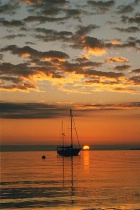
Sailboat and Sunrise - Too Far Away
Sailboat and Sunrise
Too Far Away
© Jim Miotke 2005
All Rights Reserved
Sailboat and Sunrise - Becomes Better by Moving in Closer
Sailboat and Sunrise
Becomes Better by Moving in Closer
© Jim Miotke 2005
All Rights Reserved
Each time you spot a subject, snap a shot and then move in closer for a better shot. Having your subject almost fill the frame helps your viewer understand and appreciate your photo. Also, details are often more interesting than an overall view.
Keep moving in closer until you are sure the photo will successfully represent your subject.

Beginning Photography Tip #2:
Be Quick

Suzy - Taking the Picture Quickly


Suzy 
For This Pic, I Had to Shoot Quickly
© Jim Miotke 2005 
All Rights ReservedIf it is at all possible that your subject may move, bolt, fly away, stop smiling, or just get tired of waiting for you to take the picture, shoot once right away.

Practice getting quicker and quicker to the draw.
Do not worry about taking too many pictures and do not wait until you're absolutely certain all the knobs and buttons are in their correct position.
As the motto of one of BetterPhoto old t-shirts states, "Shoot First, Ask Questions Later."
For a great example of the rewards that can be attained by being able to work quickly, check out how Ansel Adams got "Moonrise, Hernandez, New Mexico."

Beginning Photography Tip #3:
Compose Your Picture with Care

Touch of the Past - Balanced Composition


Touch of the Past 
Balanced Composition
© Jim Miotke 2005 
All Rights Reserved


Even if you don't plan on selling your photo to the Smithsonian, make every effort to keep it balanced and beautiful. On one level or another, everyone responds better to a picture that has all elements in balance.

Strive to lead the eye along an interesting path through the photo, with the use of strong lines or patterns.
  • Keep the horizon level;
  • Crop out extra elements that you are not interested in (more on this is the next tip);
  • Consciously place your subject where you think it most belongs rather than just accepting it wherever it happens to land in the photo;
  • Play with perspective so that all lines show a pattern or lead the eye to your main subject;
  • Work with the Rule of Thirds.

Beginning Photography Tip #4:
Be Selective

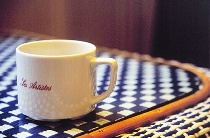
Still Life Photography Tip #4: Focusing in on one suggestive detail


Detail Photo of French Breakfast 
© Jim Miotke 2005 
All Rights Reserved


Discern what you are really interested in and center your efforts on getting the best photo of this subject, whether it a still life, your funny cat, your doggy, a friend, a family matter, a mood, a place or culture.

Then be sure to keep anything that would distract out of the picture. Go as far as Ansel Adams did to remove unwanted elements.
The easiest way to do this is to watch your borders - the edges of the view you see through the camera's viewfinder. Then recompose if anything - such as an unattractive telephone wire, an old soda can, a distracting sign, your finger, or your camera strap - hangs into your picture.
It can become more difficult if you want to, say, shoot a San Francisco cable car without a single distracting telephone line. But even in such a difficult case, you have many options.


You can:

  • Focus in on a close-up that tells the whole story;
  • Move around until you arrange the telephone lines into a neat pattern that leads to the subject; or
  • Take a panning shot that makes the cable car remain in focus while the background goes blurry.
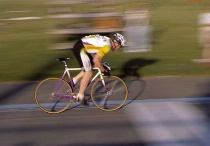
Panning Shot of a Bicycle Racer
See More Bicycling Pictures
at my 
Deluxe BetterPholio™
BetterBicycling.com
© Jim Miotke 2005
All Rights Reserved


Beginning Photography Tip #5:

Focus on Your Subject
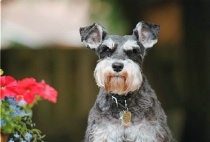
Focusing on Your Subject - Heidi
Heidi
Focusing on Your Subject
© Jim Miotke 2005
All Rights Reserved
Practice shooting with different apertures and monitor the results afterwards to learn how depth-of-field affects your photo.
You will find that a smaller depth-of-field (and smaller f-stop #) focuses all the attention upon your subject. This is great for taking a picture of your child, your dog, or your husband - subjects stand out against a blurry background.
Likewise, you will find that a greater depth-of-field (bigger f-stop number) will make everything from here to eternity appear in focus. This will help make those landscapes fascinating and lovely.
Deep Depth of Field - Hearst Castle
Pool at Hearst Castle
Using Deep Depth of Field
© Jim Miotke 2005
All Rights Reserved


Beginning Photography Tip #6:
Experiment with Shutter Speed

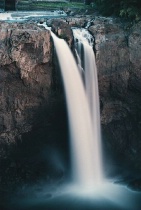
Snoqualmie Falls - Shooting with a Slow Shutter Speed and Tripod
Snoqualmie Falls
Shooting with a Slow Shutter Speed and Tripod
© Jim Miotke 2005
All Rights Reserved
One of the most basic, overlooked, and fun aspects of photography is that you have the power to slow time down or catch a split second.
One image happens so slowly that we could never see it and the other happens so quickly in real time that we would never notice it. Play with shutter speed!
Use a slow shutter speed and a tripod to make a pretty picture of any creek or stream. On the other hand, you can use a fast shutter speed (1/500 and up) to capture an object in motion.
Combining a fast shutter speed with a long lens, you sports buffs can get a trophy of your own when you are able to catch the expression on your favorite runningback's face as he slips past the final defense toward a winning touchdown. Remember, catching the moment in fast-paced action photography may take a little more practice so hang in there.


Beginning Photography Tip #7:
Look at the Light


Look at the Light - Portrait at Sunset
Portrait at Sunset
© Jim Miotke 2005
All Rights Reserved
By this, I don't mean look into the sun - no, that won't do at all. But it is good to see what kind of light you are working with. Which way are the shadows falling? Unless you want a silhouette effect, where your subject is black against an interesting background, it's generally best to shoot with the sun behind you.
How is the light affecting your subject? Is the subject squinting?
Is the light blazing directly and brightly upon your whole subject? This works well if you are in love with the bold colors of your subject.
Side lighting, on the other hand, can add drama but can also cause extreme, hard-to-print contrasts.
Lastly, indirect light can be used to make your subject glow soft and pretty.


Beginning Photography Tip #8:
Watch the Weather, Too

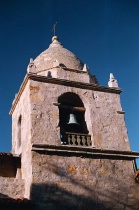
Carmel Mission   - Clear Blue Skies
Carmel Mission
Clear Blue Skies and a Polarizing Filter
© Jim Miotke 2005
All Rights Reserved
Look outside and decide whether or not you are going to want to have the sky in your picture.
If it's overcast, simply keep the sky out of your pictures as much as possible. This is usually the best way to avoid both muted tones in your subject and washed-out skies in your background. You might also find black and white pictures of an overcast day more pleasing than color.
When the day is beautiful, go ahead and make the most of it.
If your camera allows for the use of filters, purchase a polarizer. This will help you render deep blue skies against bright white clouds, richly contrasting colors, and other wonderful effects with a simple twist of the wrist.


Beginning Photography Tip #9:
Keep Your Camera Settings Simple

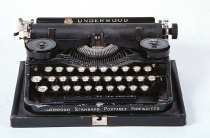
Typewriter
Typewriter
Sometimes the simplest of tools work the best
© Jim Miotke 2005
All Rights Reserved
While you may wish to have "all the bells and whistles" available just in case, you will probably get the best results if you do not try to use them all the time and instead learn a simple set up that works best for you in most situations.
This doesn't necessarily mean keeping your camera set on "Program" - while this mode may be perfect in its simplicity, it may be frustrating in its tyrannical control.
Instead of relying on a fully automatic program, pick a simple, semi-automatic program such as aperture-priority and master shooting in that mode. Then, you'll be able to control certain basics without letting the other basics control you, and thus keep that 150 page manual where it belongs - in your camera bag.
Tip: if you want one accessory, bring a tripod. This one item can solve camera shake issues and help you get beautiful evening shots.


Beginning Photography Tip #10:
Be Bold

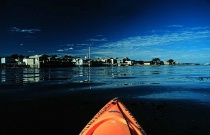
Kayak in Monterey Bay - Risky but Worth It
Kayak in Monterey Bay
Risky But Worth It
© Jim Miotke 2005
All Rights Reserved
Monterey Bay - Otter Mom and Pup
Otter Mom and Pup
Awwwhhh...
© Jim Miotke 2005
All Rights Reserved
Don't allow yourself to be paralyzed by fears of using the wrong settings, or an non-politically-correct social policy.
If you are afraid of upsetting someone by taking their picture, just go up and ask if it's okay. Ask them to sign a release and offer a print in return.
With wildlife, adopt a low-impact method when you go places where few photographers have gone before. For the above photos, I put my camera and telephoto in a waterproof bag and kayaked out into Monterey Bay. (Lawyer-talk: This can be dangerous - so be careful.)
Be wise... but be bold.

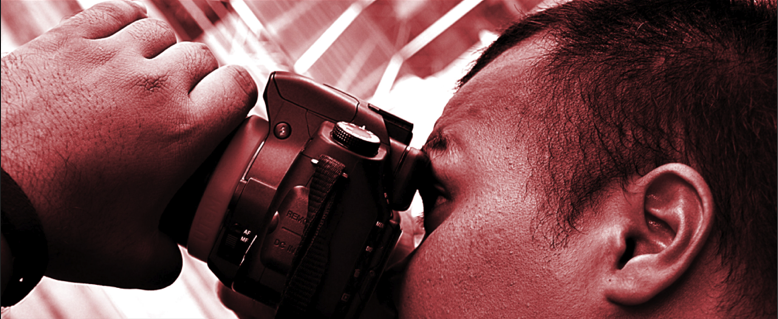
CloSe-Up 70-300mm..or 18-70mm caption by zesteration


Basics PhoTo tips by BRYAN F PETERSON

Basic Photo Tips: Aperture, Shutter Speed, and ISO

Just as it was 100 years ago and just as it is today, every camera—be it film or digital—is nothing more than a lightproof box with a lens at one end and light sensitive film or a digital sensor at the other end. It is of course light that enters through a ‘hole’ in the lens (the aperture), and after a certain amount of time (determined by shutter speed) an image will be recorded (on film or digital media). This recorded image has been called—since day one—an exposure, and it still is.
Sometimes, the word exposure refers to a finished slide or print: “Wow, that’s a nice exposure!” At other times, it refers to the film or digital card: “I’ve only got a few exposures left.” But more often than not, the word exposure refers to the amount, and act, of light falling on photosensitive material (either the film or digital sensor). And in this context, it comes up most often as part of a question—a question I’ve heard more often than any other: “Hey Bryan, what should my exposure be?” And my answer is always the same: “Your exposure should be correct!”
Although my answer appears to be flippant, it really is the answer. A correct exposure really is what every amateur and professional alike hopes to accomplish with either his or her camera. Up until about 1975, before many auto exposure cameras arrived on the scene, every photographer had to choose both an aperture and shutter speed that, when correct, would record a correct exposure. The choices in aperture and shutter speed were directly influenced by the film’s ISO (speed or sensitivity to light). Most photographers’ exposures would be based on the available natural light. And when the available light wasn’t enough, they’d resort to using flash or a tripod.

The Do-it-all Setting

Today, most cameras, either film or digital, are equipped with so much automation they promise to do it all for you, allowing photographers to concentrate solely on what they wish to capture. “Just keep this dial here set to P and fire away! The camera will do everything else,” says the enthusiastic salesman at the camera shop. Oh, if that were only true! Chances are that most—if not all—of you who are reading this article have a do-it-all-for-you camera, yet you still find yourself befuddled, confused, and frustrated by exposure. Why is that? It’s because your do-it-all-for-you camera is not living up to that promise, and/or you have finally reached the point at which you want to consistently record creatively correct exposures.
The do-it-all camera often falls short of its promise, yielding disappointing results. Use your camera’s manual settings, or at the very least, know how light and shadow interact on film or digital media so that you can be assured of getting it right even when you are in auto exposure mode

Setting and Using Your Camera on Manual Exposure

I know of no other way to consistently make correct exposures than to learn how to shoot a fully manual exposure. Once you’ve learned how to shoot in manual exposure mode (it’s really terribly easy), you’ll better understand the outcome of your exposures when you choose to shoot in semi- or full auto exposure mode.
With your camera and lens in front of you, set your camera dial to M for manual. (If you’re unsure on how to set your camera to manual exposure mode, read the camera manual!) Grab your kid or a friend to use as your subject and go to a shady part of your yard or a neighborhood park, or if it’s an overcast day, anywhere in the yard or park will do. Regardless of your camera, and regardless of what lens you’re using, set your camera dial to M Mode and the lens opening to the number 5.6 (f/5.6). Place your subject up against the house or some six- to eight-foot shrubbery. Now, look through the viewfinder and focus on your subject. Adjust your shutter speed until the camera’s light meter indicates a “correct” exposure in your viewfinder and take the photograph. You’ve just made a manual correct exposure!
Operating in manual exposure mode is empowering, so make a note of this memorable day.

The Photographic Triangle

This does not mean that I want you to forever leave your camera’s aperture at f/5.6 and simply adjust your shutter speed for the light falling on your subject until the viewfinder indicates a correct exposure. Before you forge ahead with your newfound ease in setting a manual exposure, you need to learn some basic concepts about exposure.
A correct exposure is a simple combination of three important factors: aperture, shutter speed, andISO. Since the beginning of photography, these same three factors have always been at the heart of every exposure, whether that exposure was correct or not, and they still are today—even if you’re using a digital camera. I refer to them as the photographic triangle.
Locate the button, wheel, or dial on your camera or lens that controls the aperture. If you’re using an older camera and lens, the aperture control is a ring that you turn on the lens itself. Whether you push buttons, turn a wheel, or rotate a ring on the lens, you’ll see a series of numbers coming up in the viewfinder or on the lens itself. Of all of the numbers you’ll see, take note of 4, 5.6, 8, 11, 16, and maybe even a 22. (If you’re shooting with a fixed-zoom-lens digital camera, you may find that your apertures don’t go past 8 or maybe 11). Each one of these numbers corresponds to a specific opening in your lens and these openings are called f-stops. In photographic terms, the 4 is called f/4, the 5.6 is f/5.6, and so on. The primary function of these lens openings is to control the volume of light that reaches the film or digital media during an exposure. The smaller the f-stop number, the larger the lens opening; the larger the f-stop, the smaller the lens opening.
For the technical minded out there, an f-stop is a fraction that indicates the diameter of the aperture. The f stands for the focal length of the lens, the slash (/) means divided by, and the number represents the stop in use. For example, if you were shooting with a 50mm lens set at an aperture of f/1.4, the diameter of the actual lens opening would be 35.7mm. Here, 50 (lens focal length) divided by 1.4 (stop) equals 35.7 (diameter of lens opening). Whew! It makes my head spin just thinking about all that. Thank goodness this has very little, if anything, to do with achieving a correct exposure.

Aperture

Interestingly enough, each time you descend from one aperture opening to the next, or stop down, such as from f/4 to f/5.6, the amount of light passing through the lens is cut in half. Likewise, if you change from an aperture opening of f/11 to f/8, the volume of light entering the lens doubles. Each halving or doubling of light is referred to as a full stop. This is important to note since many cameras today offer not only full stops, but also the ability to set the aperture to one-third stops, i.e. 
f/4
, f/4.5, f/5, f/5.6, f/6.3, f/7.1, f/8, f/9, f/10, f/11, and so on. (The underlined numbers represent the original, basic stops while the others are the newer one-third options sometimes available).

Shutter Speed

Now let’s turn to shutter speed. Depending on the make and model, your camera may offer shutter speeds from a blazingly fast 1/8000s all the way down to 30 seconds. The shutter speed controls the amount of time that the volume of light coming through the lens (determined by the aperture) is allowed to stay on the film or digital media in the camera. The same halving and doubling principle that applies to aperture also applies to shutter speed.
Let me explain. Set the shutter speed control on your camera to 500. This number denotes a fraction—500 represents 1/500 second. Now change from 500 to 250; again, this represents 1/250s. From 1/250s you go to 1/125, 1/60, 1/30, 1/15, and so on. Whether you change from 1/30s to 1/60s (decreasing the time the light stays on the film/digital media) or from 1/60s to 1/30s (increasing the time the light stays on the film/digital media), you’ve shifted a full stop. Again this is important to note since many cameras today also offer the ability to set the shutter speed to one-third stops: 
1/500s
, 1/400s, 1/320s,1/250s, 1/200s, 1/160s, 1/125s, 1/100s, 1/80s, 1/60s, and so on. (Again, the underlined numbers represent the original, basic stops while the others are the newer one-third options sometimes available). Cameras that offer one-third stops reflect the camera industry’s attempts to make it easier for you to achieve “perfect” exposures. But as you’ll learn later on, it’s rare that one always wants a perfect exposure.

ISO

The final leg of the triangle is ISO. Whether you shoot with film or use a digital camera, your choice ofISO has a direct impact on the combination of apertures and shutter speeds you can use.. To better understand the effect of ISO on exposure, think of the ISO as a worker bee. If my camera is set for ISO 100, I have, in effect, 100 worker bees; and if your camera is set for ISO 200, you have 200 worker bees. The job of these worker bees is to gather the light that comes through the lens and make an image. If both of us set our lenses at the same aperture of f/5.6—meaning that the same volume of light will be coming through our lenses—who will record the image the quickest, you or me? You will, since you have twice as many worker bees at ISO 200 than I do at ISO 100.

ISO and Shutter Speed

How does this relate to shutter speed? Let’s assume the photo in question is of a lone flower taken on an overcast day. Remember that your camera is set to ISO 200 and mine to ISO 100, both with an aperture of f/5.6. So, when you adjust your shutter speed for a correct exposure, 1/250s is indicated as “correct,” but when I adjust my shutter speed for a correct exposure, 1/125s—a longer exposure—is indicated. This is because your 200 worker bees need only half as much time as my 100 worker bees to make the image.

Understanding Exposure

Since this is such an important part of understanding exposure, I want you to pause in your reading for a moment and get out your camera, as well as a pen and paper. Set the film speed dial to ISO 200; (If you are a film shooter, do this even if you have a roll of film in your film camera that is notISO 200, but don’t forget to set the ISO back to the correct number when we’re done here.) Now, set your aperture opening to f/8, and with the camera pointed at something that’s well illuminated, adjust your shutter speed until a correct exposure is indicated in the viewfinder. (If you want, you can leave the camera in the automatic aperture-priority mode for this exercise, too). Write down that shutter speed. Then, change your film speed again, this time to ISO 400, leaving the aperture at f/8, and once again point the camera at the same subject. Whether you’re in manual mode or auto-aperture-priority mode, you’ll see that your light meter is indicating a different shutter speed for a correct exposure. Once again, write down this shutter speed. And finally, change the ISO to 800, and repeat the steps above.
What have you noticed? When you change from ISO 100 to ISO 200 your shutter speed changed: from 1/125s to 1/250s or perhaps something like from 1/160s to 1/320s. These shutter speeds are examples, of course, and not knowing what your subject was, it’s difficult at best to determine your actual shutter speeds, but one thing is certain: each shutter speed is close to if not exactly half as much as the one before it.
When you increase the number of worker bees (the ISO) from 100 to 200, you cut the time necessary to get the job done in half. (If only the real world worked like that!) This is what your shutter speed was telling you: Going from 1/125s to 1/250s is half as long an exposure time. When you set the ISO to 400, you went from 1/125s—passing by 1/250s—and ended up at 1/500s. Just as each halving of the shutter speed is called 1 stop, each change from ISO 100 to ISO 200 to ISO 400 is considered a 1-stop increase (an increase of worker bees).
You can do this same exercise just as easily by leaving the shutter speed constant, for instance at 1/125s, and adjusting the aperture until a correct exposure is indicated in the viewfinder; or, if you choose to stay in auto exposure mode, select shutter-priority, set a shutter speed of 1/125s, and the camera will set the correct aperture for you.
Now that you are armed with this simple yet invaluable information, let’s put it towards some truly creative uses! The next article from Bryan will explain in detail how to correctly expose your photographs.


Bryan F Peterson

A member of the photo.net community since July 28, 2008.
  • Personal home page: www.bryanfpeterson.com
  • photo.net Gallery Portfolio: photo.net/photos/bryanfpeterson
  • This page has been visited 14399 times since August 12, 2008

Photographer Biography

Bryan F Peterson: Photographer at photo.netBryan F Peterson has been a full-time commercial photographer since 1981, shooting assignments all over the world for many of the Fortune 500 companies, including Kodak, UPS, and American Expiress. He is also a contract stock photographer for Corbis and Getty. He has been a contributing editor at Outdoor Photographer Magazine and is currently a contributing editor at Popular Photography and Imaging Magazine. Within the photographic community, he is most noted as the author/photographer of four best selling “how-to” photography books, Understanding Exposure, Understanding Shutter Speed, Learning to See Creatively and Beyond Portraits, with two new books due out in the spring of 2009, Understanding Close-up Photography and The Field Guide to Photography. He is also the founder and one of the instructors at the world’s number one on-line photography school, www.ppsop.net. “I am primarily an ‘available light photographer’, shooting landscapes to close-ups, industry to people. I have been a Nikon shooter since day one. My favorite places to shoot continue to be Provence, France and Singapore. What I love the most is of course staying behind the camera and creating new images. What I hate the most is sitting in front of the computer and doing post-processing. If I could offer one piece of advice it would be this: every photographer who is serious about his/her career should live in New York or Paris for just one year.”